

1
ChatGPT clone - full AI SaaS
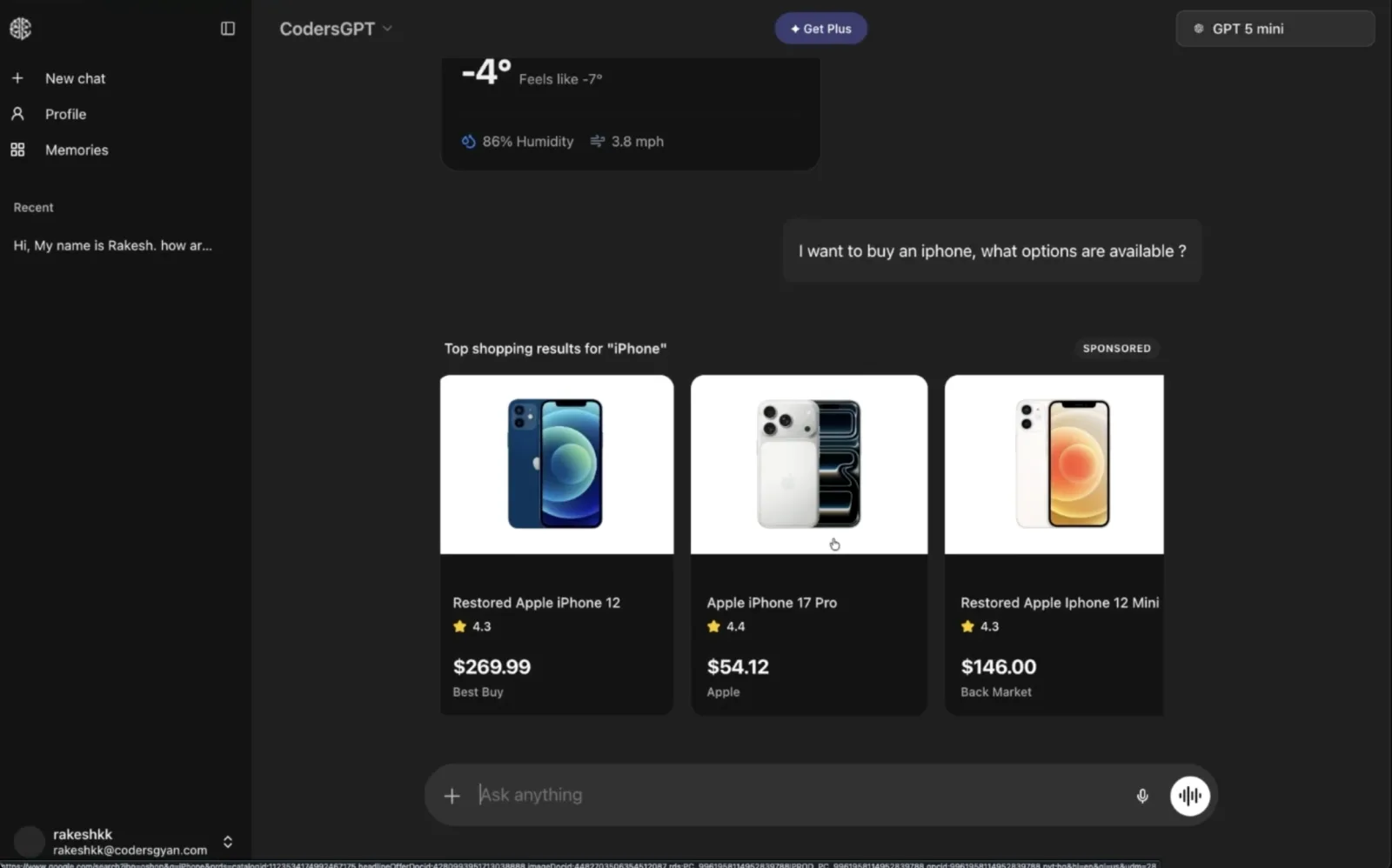
The final project: streaming chat with threads and memory, model switching, auth and credit-based billing.
AuthStreamingBilling

Rakesh K.
Solution Architect, 12+ Years
Build RAG systems, AI agents, MCP integrations and full-stack AI products in JavaScript. Not toy demos: real projects, real architecture.
Built with tools used in industry
1,800+ developers already learning with us.
4.9
average rating from students
“I had no idea about AI when I started. Now I’m building RAG systems and shipping AI products at work.”
 Raj YadavSoftware Developer
“From RAGs to LangGraph and agentic AI, everything was taught step by step in JavaScript. It’s very practical.”
 Arnab SahaAssociate Consultant @PwC
“I went from zero AI experience to shipping real AI features inside my own live SaaS product.”
 Pratik JadhavFounder @AiXpense
One structured path for JavaScript and TypeScript developers who want to become AI product engineers.
How LLMs work, tokens, context and prompting.
OpenAI, Gemini and Groq, streaming and structured output.
Chunking, embeddings, vector stores and advanced RAG.
Tool calling, ReAct and multi-agent systems in LangGraph.
Observability, human-in-the-loop, MCP and generative UI.
Build and deploy a full-stack AI SaaS.
Nine complete AI products you build from scratch, then run, extend and add to your portfolio.
The final project: streaming chat with threads and memory, model switching, auth and credit-based billing.
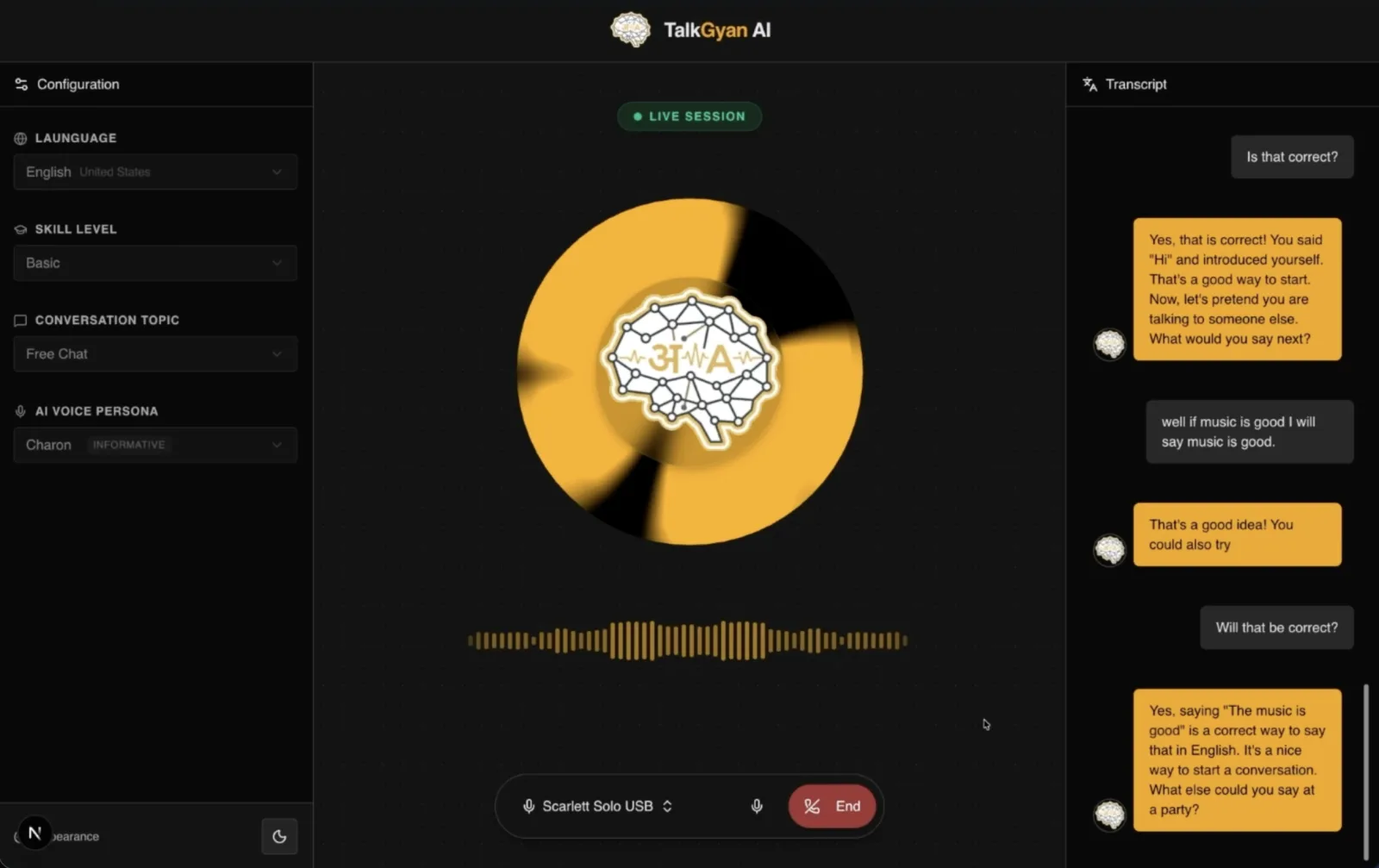
A voice tutor you practise speaking with in real time.
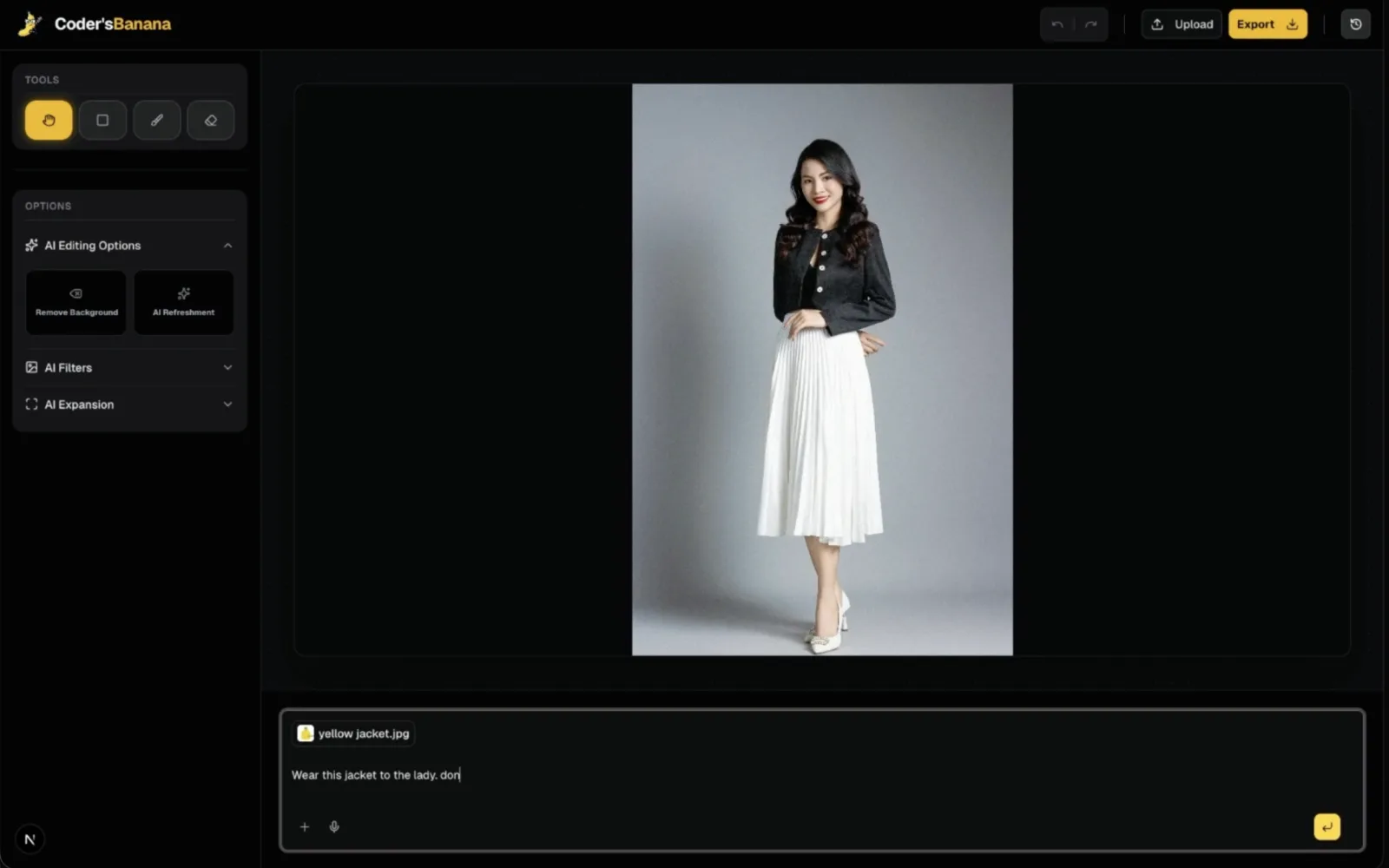
Edit images with plain-language instructions.
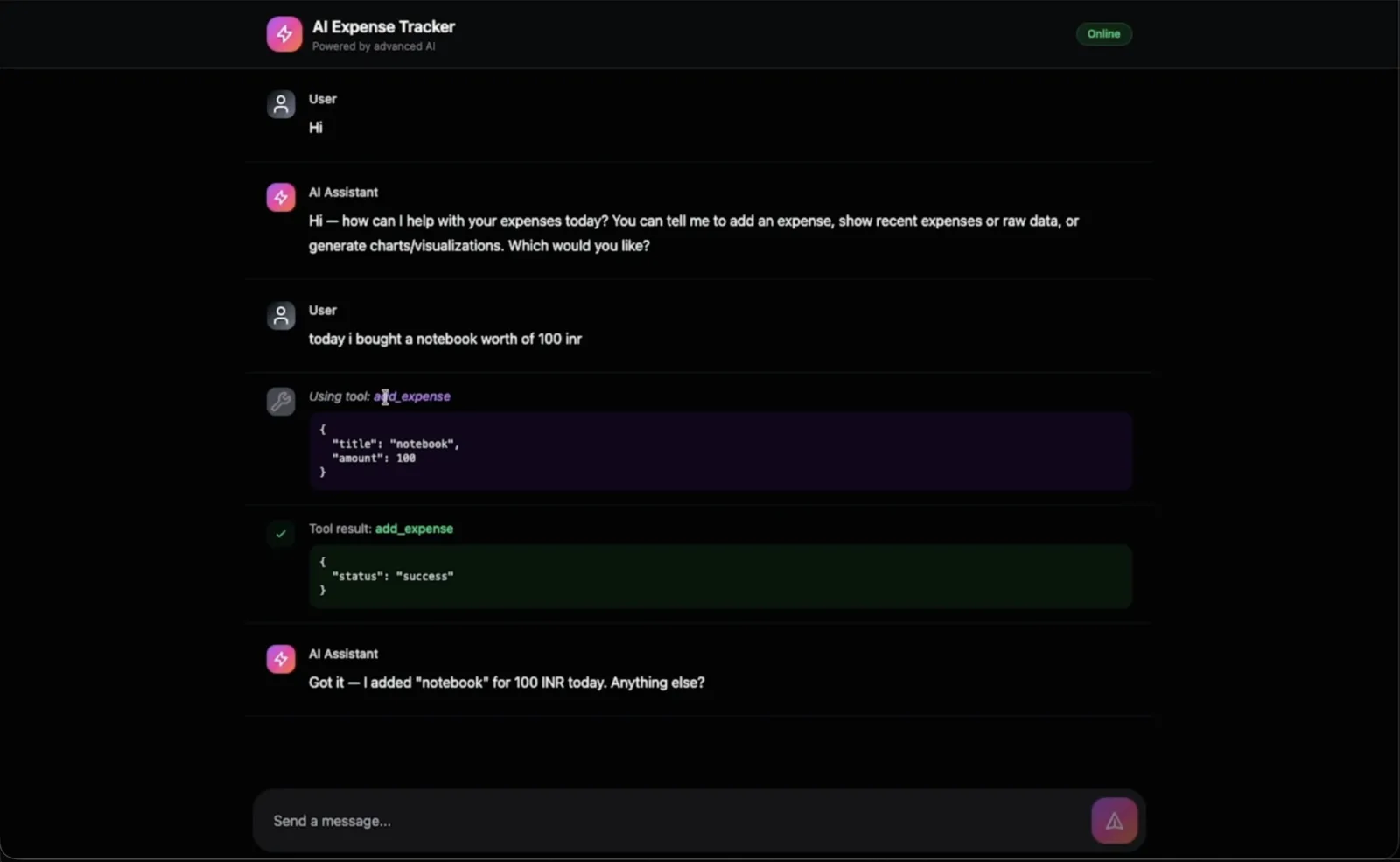
Log spending in plain language and get live charts rendered right in the chat.
Answers from your own knowledge base and hands off to a human when needed.
A research agent that searches, reads and answers with sources.
An internal chatbot over your company’s own documents.
Reads, plans and books your calendar through real tool calls.
Drafts, critiques and refines posts in an agent loop.
You start with the foundations, then move to retrieval, agents and complete products. Each module builds on the one before.
By the end of this moduleYou'll understand what generative AI and LLMs actually are, how different AI models and their capabilities compare, and core concepts like tokens, context windows, and inference - the vocabulary and mental model you'll use for the rest of the course.
By the end of this moduleYou'll be able to write effective prompts using zero-shot, few-shot, and chain-of-thought techniques, and apply prompt engineering best practices to get consistently better outputs from any LLM.
By the end of this moduleYou'll be able to invoke LLMs programmatically, structure system and user prompts correctly, configure LLM settings, get reliable structured output, and implement your first tool-calling integration - the core building blocks behind every AI application you'll build next.
By the end of this moduleYou'll have built a working ChatGPT-style chatbot end to end - UI, server, and integration - with proper prompting, loading states, conversation memory, and safeguards against infinite loops.
By the end of this moduleYou'll understand how retrieval-augmented generation works and how vector embeddings and vector stores let an LLM answer questions using your own data instead of just what it was trained on.
By the end of this moduleYou'll be able to build a complete RAG pipeline from scratch - loading, chunking, and indexing documents into a vector store, then retrieving relevant context to power a company internal chatbot.
By the end of this moduleYou'll understand what makes an AI system "agentic" and recognize the real-world use cases where agents outperform a simple prompt-response chatbot.
By the end of this moduleYou'll understand the agentic framework landscape and know when to reach for LangChain versus LangGraph based on how your agent needs to behave.
By the end of this moduleYou'll be able to build a ReAct agent from scratch - equip it with built-in and custom tools, visualize its reasoning flow, give it a terminal UI, and add memory so it can hold a real conversation.
By the end of this moduleYou'll understand how LangGraph's graph model works and be able to rebuild your ReAct agent on top of a custom graph - with visualization, a terminal UI, and memory - giving you far more control over the agent's execution flow than a prebuilt abstraction.
By the end of this moduleYou'll have built a real Google Calendar agent end to end - designing its graph, wiring up the Google Developer Console and an Express server, implementing tools to get and create events, adding memory and a terminal UI, and handling real-world details like timezones and secrets management.
By the end of this moduleYou'll be able to trace and debug what your agents are actually doing under the hood using LangSmith and Langfuse - essential for catching failures before your users do.
By the end of this moduleYou'll understand advanced RAG patterns - agentic RAG, corrective RAG, and self-RAG - that let a system catch and correct its own retrieval mistakes instead of confidently answering with wrong context.
By the end of this moduleYou'll have built a multi-agent customer support chatbot - routing between a frontdesk agent, marketing support agent, and learning support agent using conditional edges, backed by vector-indexed documents and the corrective/self-RAG patterns from the previous module.
By the end of this moduleYou'll understand the reflection, reflexion, and plan-and-execute agentic patterns, and put them into practice by building two real projects - a self-critiquing LinkedIn post writer and a Perplexity-style research agent with revision and search.
By the end of this moduleYou'll be able to design a multi-agent system with a supervisor agent coordinating specialized sub-agents - the pattern used when a single agent can't reliably handle every task on its own.
By the end of this moduleYou'll be able to add human-in-the-loop interrupts to an agent - pausing for explicit approval before it takes a risky or irreversible action, and resuming once a human signs off.
By the end of this moduleYou'll understand generative UI and have built a complete AI Expense Tracker end to end - an agent with tools to add and query expenses, streaming its responses over Server-Sent Events, and rendering live charts and results directly in a React UI instead of just plain text.
By the end of this moduleYou'll understand the Model Context Protocol (MCP) architecture and be able to build both an MCP server (with tools, prompt templates, and resources) and an MCP client that can connect to local and remote servers - the emerging standard for connecting AI models to real tools and data.
By the end of this moduleYou'll have built a full AI-powered image editor - from image upload and AI-driven generation to a canvas-based masking system with brush, eraser, and rectangle tools, undo/redo history, and AI remix/filter/expansion features - the kind of production-grade creative tool most AI courses never actually teach you to build.
By the end of this moduleYou'll have built a real-time voice AI language tutor - handling live audio streaming, processing raw PCM audio data, playing back AI responses with interrupt support, transcripts, and secure ephemeral tokens - the real-time audio plumbing most AI tutorials skip entirely.
By the end of this moduleYou'll have built a complete, production-grade fullstack AI SaaS from scratch - authentication (email, Google, GitHub), a multi-model streaming chatbot with persistent threads and memory, tool calling, and a full subscription and credit-based billing system with a real payment gateway - tying together everything from the entire course into one deployable product.
Each name links to the person’s LinkedIn profile, so you can check who they are.
Before enrolling, I had zero hands-on experience with AI development. I knew JavaScript well, but GenAI felt like a completely different world. Today, I’ve shipped real AI features, including an autonomous AI Spending Coach and a multi-model voice-to-expense pipeline, inside AiXpense, my own live SaaS product with real beta users.
What makes this course genuinely different is its philosophy: read the official docs first, then code. Instead of just teaching you how to use tool X today, it teaches you how to think, so when a new model, SDK, or framework drops tomorrow, you already know how to evaluate and adopt it yourself. That mindset shift alone was worth the entire course.
We went from RAG pipelines all the way to autonomous agents, not in a shallow, overview-style way, but with live coding, real implementations, and actual code reviews. I’m now using Vercel AI SDK, LangChain, RAG, and agent/tool-calling patterns directly in production. These aren’t side projects, they’re powering features my users rely on daily.
Read the full reviewShow less
Best investment I made as a developer.
I had no idea about AI when I started this course. Now I’m actually building RAG systems and shipping AI products at work - still feels surreal honestly.
Rakesh sir has this way of explaining things that just makes sense. Complex topics feel simple, nothing ever feels out of reach. This course genuinely changed how I work.
The project I’m most proud of is my AI assistant “Quero,” which uses PDFs with memory vectors - I even extended it to run locally with Ollama, which gave me huge confidence.
I now design proper pipelines with memory, retrieval, and tools instead of just calling a model. I’d recommend this course to anyone who wants to go beyond surface-level experimentation and actually build meaningful AI apps.
As a backend engineer, I had been hearing about AI and LLMs everywhere, and there was so much hype I was honestly confused about where to start.
After this course, things finally made sense. The most valuable part for me was understanding how LLMs work inside applications, how to integrate them using JavaScript, and how agentic systems can be designed to solve complex tasks.
This course made GenAI very clear. From RAGs to LangGraph and agentic AI, everything was taught step by step in JavaScript with real use cases. It’s very practical.
After completing the RAG agents, I gained a lot of confidence in building AI agents. This course demystifies a lot of AI jargon. Looking forward to building AI products.

Solution Architect · 12+ years shipping software
AI tools change every few months, so this course focuses on a habit that doesn’t: read the official docs first, write the code, then understand why it behaves the way it does. Students tell me this habit helped them more than anything else.
I build every product live, including the mistakes and how I fix them, because that’s where most of the learning happens.
See you in module 01.
Both plans include all 22 modules and are a one-time payment. Elite adds mentorship, community access and feedback on your code.
The questions people ask most before enrolling.
Still not sure whether this is for you?Ask me directly
The APIs will change. That’s why the course teaches you to read the official docs first and understand the pattern behind each SDK. Retrieval, tool calling, agent state, human approval and tracing stay the same problems whichever framework you use. Course updates are included at no extra cost.
Most AI products are features inside web apps, and those apps already run on JavaScript and TypeScript. You build the AI layer in the same stack as the rest of the product (Node, Next.js, LangChain.js and LangGraph.js), so you don’t need a separate Python service.
Yes. Most free material stops around there. After the basics, this course covers advanced RAG, ReAct and multi-agent systems in LangGraph, human-in-the-loop interrupts, observability, MCP, generative UI and a full-stack AI SaaS.
No. You’re building products on top of models, not training them. You need to be comfortable with JavaScript and ES6; some TypeScript, React or Node helps. The GenAI part starts from the fundamentals.
There are 50+ hours of lessons, and building the projects takes longer than watching them. At five or six hours a week, most people finish in about three months.
You’ll need API keys for the providers you use. The course also uses Gemini and Groq, which have free tiers that cover most of what the projects need while you learn.
Community access is Elite only. Elite gets you into the private community and the Elite Engineers Club, where you can post what you are stuck on, plus doubt solving with me directly and personal feedback on your assignments.
You lose access to the lessons. You keep your certificate and anything you downloaded. Elite doesn’t expire and includes modules added after you buy.
Yes. You pay the difference rather than the full Elite price, and everything you have already done carries over. To upgrade, reach out to [email protected].
Yes, students get 15% off either plan. Email [email protected] with a valid copy of your university proof, or write to us from your university email address.
Nothing. Email [email protected] within seven days of buying and you get a full refund. No form and no reason needed.
22 modules covering retrieval, agents, voice, image editing and a full AI SaaS, all in the stack you already know. Start with module 01.
Full refund within 7 days. No questions asked.